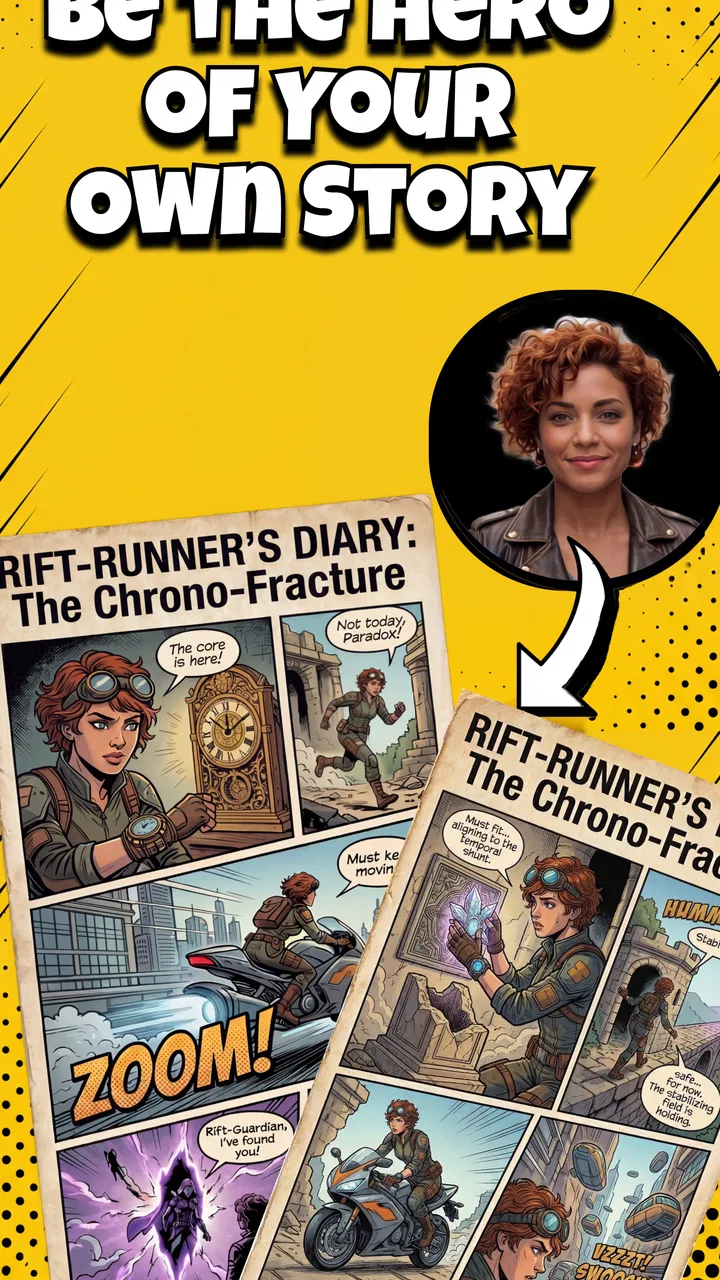
Comikaze - Create Comics Manga
- 3.9
- Rating
- 10.00K
- Installs
- Free
- Price

 Analysis by App-foxy
Making a comic on a phone sounds simple until you try to turn a loose idea into readable panels. Comikaze - Create Comics Manga is built for that exact creative moment: you have a short scene, a joke, a character idea, or a manga-style sequence in mind and want to shape it without opening a full desktop art program. I approached it as a practical comic-making app rather than as a general drawing tool, and that distinction matters. Its appeal is the focused format, while its limitations come from the fact that a focused mobile editor cannot replace every part of a professional illustration workflow.
The app belongs to the Comics category and is developed by Appricott Dijital Teknoliji ve Yazilim A.S. It is free to install, carries an Everyone age rating, and runs on Android devices using version 7.0 or later. The current release is version 1.0.6, and the app has passed the ten-thousand-install mark. Those details place it in the accessible end of mobile creative software: it is easy to try, suitable for a broad audience, and not restricted to newer phones by its minimum operating-system requirement.
How Comikaze fits into a real comic-making routine
My first useful way to think about this app is as a fast visual storytelling workspace. A comic is not only a collection of drawings. It depends on order, pacing, framing, speech, and the way the reader’s eye moves from one panel to the next. An app centered on comic and manga creation can be more convenient for those jobs than a blank canvas, because the intended result already has a sequence and a page-like structure.
You May Also Like

 AccuWeather: Weather Radar
AccuWeather Review: A Quick, Clear Forecast for Everyday Decisions
For everyday plans, the best forecast is the one you can understand quickly. AccuWeather makes rain timing, radar, and local conditions easy to act on, with a few trade-offs.

 Hill Climb Racing
Why Hill Climb Racing Still Turns Crashes Into One More Run
A tiny car, a bumpy hill and one more upgrade: Hill Climb Racing keeps resurfacing because its simple chaos makes every near-miss feel personal.

 AliExpress - Shopping App
AliExpress Makes Global Shopping Feel Personal, but Shoppers Bear the Risk
AliExpress turns a global marketplace into a pocket-sized discovery engine. Its reach is useful, its shopping loop compelling, and its trade-offs easy to miss.

 Lords Mobile: Kingdom Wars
Lords Mobile Is a Kingdom-Building Routine, Not a Quick Match
A case-by-case verdict on the building, battles, device demands, and social commitments that make Lords Mobile rewarding for some players and exhausting for others.

 PDF Scanner app - TapScanner
TapScanner Makes Paperwork Easier to Capture, Check, and Share
TapScanner makes scanning with a phone feel less like a rescue operation and more like a dependable step in getting work done. Its capture tools are useful, though not flawless.

 Block Blast!
 Shows How Much a Puzzle Game Can Leave Out
A quiet grid game shows why puzzle players increasingly value instant clarity, repeatable skill and low-pressure play—and where the genre still needs to catch up.
More From Our News Desk
View All News


That makes it a natural choice for small projects. I can imagine using it to sketch a four-panel gag during a commute, prepare a simple character introduction for a role-playing group, turn a child’s story into a visual page, or test whether a manga scene actually reads before spending time on polished artwork. The important benefit is not merely drawing on a touchscreen. It is reducing the distance between an idea and a shareable comic layout.
A good mobile workflow starts with the story rather than the decoration. Before opening the editor, I would write the scene in a few short beats: who is present, what changes, and where the punchline or reveal lands. Then I would assign one beat to each panel and keep the first version deliberately plain. This approach helps reveal whether the sequence works without letting backgrounds, effects, or character details hide a weak transition.
That is also where a comic-specific tool can be more useful than a traditional painting app. A general drawing application may offer deeper brushes and layers, but it can leave the user responsible for constructing the entire page from scratch. Comikaze is better suited to someone who wants to think in panels and manga pages first. On the other hand, an artist who needs advanced brush control, detailed masking, complex layer management, or precise print preparation may still prefer a dedicated illustration program.
What the free entry point really means
The app is free to install, so the sensible first step is to explore the basic workflow before spending anything. That distinction is important: free access gives you a chance to judge whether the editor matches your way of thinking, but it does not automatically mean every creative option is included at no cost. In-app purchases are listed from $4.99 to $39.99 per item, so paid value should be considered only after you understand what you personally need from the app.
I would not treat the purchase range as a reason to assume that buying is necessary. Instead, I would begin with a complete small project: plan a short sequence, build the panels, add the dialogue, and see whether the result feels comfortable to edit. If the free experience already handles the kind of comic you want to make, that may be enough. If your work repeatedly runs into a locked tool or asset, then the relevant question becomes whether that specific addition saves enough time to justify its individual price.
This is a healthier way to assess mobile creative apps than buying a package before testing the workflow. The value is not measured by how many tools appear on screen. It is measured by whether you can finish a comic with less friction than you would experience in your usual alternative. Someone making occasional jokes or storyboards may find free access sufficient, while a regular creator may evaluate the paid options differently.
Small workflow choices that improve the result
One practical tip is to separate storytelling decisions from visual cleanup. I would first make a rough pass with simple figures and short dialogue, then review the page at a reduced size. If the action and reading order are unclear when the page is viewed small, adding more detail will not solve the underlying problem. Fixing panel order, character position, and speech length at this stage is faster than polishing a confusing page.
A second useful habit is to reserve the largest panel for the moment that deserves the most attention. Mobile screens encourage creators to give every panel similar weight, but that can flatten the rhythm. A close-up, reaction, or reveal often benefits from more space, while a quick movement or setup can remain compact. Even when the artwork is simple, panel size can create a sense of timing.
I would also keep dialogue shorter than feels necessary during the first draft. Speech that looks acceptable while editing can become crowded once placed inside a panel. A short line usually gives the character more presence and leaves room for the artwork. If a scene requires a long explanation, splitting it across panels or converting part of it into visual action may produce a stronger comic than shrinking the lettering.
A third non-obvious use is planning rather than publishing. The app can serve as a visual storyboard for a longer project, even if the final pages are later redrawn elsewhere. This is especially useful when testing camera angles, scene order, or the timing of a joke. In that role, the app does not need to replace a full art studio; it only needs to make the structure easy to see and revise.
Where the trade-offs become noticeable
The main trade-off is convenience versus depth. A mobile comic editor is appealing because it keeps the process close at hand, but a small screen can make detailed adjustments tiring. If you are working on a phone, I would expect careful lettering, tiny facial expressions, and repeated repositioning to require patience. A larger device can make the same project feel more manageable, particularly when a page contains several panels.
There is another trade-off between speed and individuality. Tools designed around quick comic creation can help a beginner produce a coherent page sooner, yet creators who want a very distinctive visual language may eventually want more control than a focused mobile app provides. That does not make the app weak; it simply defines its strongest role. I see it as most convincing for rapid creation, experimentation, and accessible storytelling rather than as the only tool for an ambitious illustrated series.
Paid content is another point to approach carefully. The listed purchase range is broad enough that different items may appeal to different users, but the sensible decision depends on the exact workflow you intend to keep. I would avoid paying to solve a problem that occurs only once. A purchase makes more sense when it removes a repeated obstacle, supports the style you use in nearly every project, or saves enough editing time to be felt across several comics.
Because the app has an average rating of 0.0 at the time I reviewed its listing, I would place more weight on my own trial than on a numerical reputation signal. That does not tell me that the app is poor; it tells me that the rating is not yet useful as a shortcut for judging the experience. The install count shows that it has reached over ten thousand Android users, but adoption alone cannot answer whether the tools suit a particular creator.
Who is likely to get the most from it?
I think Comikaze is a good match for beginners who want to make comics without first learning a large illustration suite. It also makes sense for students, casual storytellers, manga fans experimenting with their own scenes, and anyone who prefers building a page from a narrative sequence instead of beginning with an empty artboard. The Everyone age rating supports its broad accessibility, although younger users may still benefit from an adult helping them plan a story and manage purchases.
Here is a realistic everyday scenario. Imagine having fifteen minutes before a train arrives and a funny exchange in mind between two characters. Rather than opening a full drawing program, I would outline three beats, create a compact sequence, place the key reaction in the final panel, and use the result to see whether the joke lands. If it works, I can refine it later. If it does not, I have discovered that quickly, without investing an evening in finished artwork.
The app may also help a writer who cannot draw confidently. Visual planning does not require polished anatomy or elaborate backgrounds. A rough page can still answer important questions: Is the reader looking at the right character? Does the reveal come too early? Is the dialogue doing work that the image should handle? For that user, the value lies in making a story visible and discussable.
I would be more cautious about recommending it as the main workspace for a professional comic artist with an established production pipeline. If your work depends on sophisticated illustration controls, exact export preparation, extensive revisions, or a large library of custom assets, a more powerful desktop or tablet application may be the better foundation. Comikaze can still be useful for thumbnails and early planning, but it may not cover every later-stage requirement.
Compared with the usual alternatives
Compared with drawing freehand in a general art app, Comikaze offers a more direct connection to comic structure. The advantage is focus: you are thinking about panels, scenes, and reading flow rather than constructing a page from an entirely blank surface. The disadvantage is that a general art app may provide more freedom for unusual layouts, painterly work, or highly customized visual effects.
Compared with creating comics on a desktop, the mobile approach is less intimidating and more immediate. You can work in short sessions and develop an idea wherever you are. Desktop software usually wins when the project becomes large, detailed, or dependent on precise input. I would choose Comikaze for quick concepts and compact stories, then consider a larger tool when the project demands sustained production.
Compared with writing a script alone, the app exposes problems that words can hide. A script may sound smooth while the visual sequence remains awkward. Turning it into panels forces decisions about what the reader sees and when. That makes the app valuable even for someone who ultimately publishes through another service or redraws the finished comic in a different program.
Compared with paper, the phone is easier to revise and less wasteful during experimentation. Paper still feels better for some people who think through loose sketches, and it offers a more natural drawing surface for certain hands. The practical choice depends on whether quick digital rearrangement matters more to you than the tactile freedom of a notebook.
My recommendation after weighing the value
I would recommend trying Comikaze if your goal is to make short comics or manga-style storyboards quickly and you want a workflow that begins with visual sequence rather than a blank canvas. The free installation lowers the risk of testing it, and the broad age rating makes it approachable for families, beginners, and casual creators. I would start with one small finished page, not an ambitious series, because that gives the clearest sense of its strengths and its friction.
I would skip it as a primary purchase if you already know that your projects require advanced illustration control or a highly specialized professional pipeline. In that case, a more comprehensive art application is likely to offer better long-term value, even if it takes longer to learn. I would also avoid buying in-app content simply because it is available. First identify the exact limitation you are trying to solve, then decide whether the individual purchase is worthwhile.
My final view is cautiously positive. The strongest reason to use Comikaze is not that it promises to replace every comic tool, but that it can make the first complete draft feel reachable. That is a meaningful benefit for anyone who has ideas but struggles to turn them into pages. Its best audience is the creator who values speed, structure, and experimentation. For that person, the free starting point is worth exploring; for a demanding professional workflow, it is better treated as a convenient companion than a complete studio.
FAQs for Comikaze - Create Comics Manga
01What is Comikaze - Create Comics Manga, and what features does it offer?
Comikaze - Create Comics Manga is an innovative app designed for comic and manga enthusiasts who want to create their own stories. It offers a variety of templates, drawing tools, and customizable options. Users can add text, speech bubbles, and effects to enhance their creations, making it suitable for both beginners and experienced artists.
02Is Comikaze suitable for beginners in comic creation?
Yes, Comikaze is beginner-friendly. It provides intuitive tools and templates that help users with little to no experience in comic creation. The app's user interface is straightforward, allowing newcomers to experiment and learn at their own pace, while also offering advanced features for more experienced users.
03Can I share my comics created on Comikaze with others?
Absolutely! Comikaze allows users to easily share their creations across various platforms. Once you've completed your comic, you can export it in different formats and share it via social media, email, or directly with friends. This feature makes it easy to showcase your work and get feedback from others.
04Does Comikaze support collaboration between multiple users?
Currently, Comikaze does not support real-time collaboration within the app. However, you can export your work and share it with others for feedback or further editing. While collaborative features may not be available, sharing your progress with peers is a viable workaround.
05What are the device requirements for installing Comikaze?
Comikaze is compatible with both Android and iOS devices. It requires Android 5.0 or later and iOS 11.0 or later. Ensure your device meets these requirements for optimal performance. The app is designed to run smoothly on most smartphones and tablets, providing a seamless creative experience.
Pros
- User-friendly interface for easy comic creation.
- Wide range of customizable templates available.
- Multiple export options for different platforms.
- Regular updates with new features and tools.
- Includes community features for sharing and feedback.
Cons
- Limited font options for text bubbles.
- Occasional crashes on older devices.
- Some features locked behind paywall.
- No offline mode for comic creation.
- Lacks advanced drawing tools for professionals.

Comikaze - Create Comics Manga
Gallery